De 0 à Production en 4 Heures : Speed-Run d'un Site E-commerce
Challenge : créer un e-commerce fonctionnel en 4h chrono. Stack moderne, paiement Stripe, déploiement Vercel. Suivez le speed-run complet.
title: "De 0 à Production en 4 Heures : Speed-Run d'un Site E-commerce" description: "Challenge : créer un e-commerce fonctionnel en 4h chrono. Stack moderne, paiement Stripe, déploiement Vercel. Suivez le speed-run complet." date: "2025-12-08" author: name: "Mustapha Hamadi" role: "Développeur Full-Stack" image: "/avatar.jpg" tags: ["Next.js", "E-commerce", "Stripe"] category: "development" image: "/blog/speed-run-ecommerce-4-heures-hero.png" ogImage: "/blog/speed-run-ecommerce-4-heures-hero.png" featured: false published: true keywords: ["e-commerce rapide", "Next.js e-commerce", "Stripe intégration", "Vercel déploiement", "créer boutique en ligne", "speed-run développement", "site e-commerce 4 heures", "Next.js 15", "commerce moderne", "tutoriel e-commerce", "développement rapide", "startup MVP"]
De 0 à Production en 4 Heures : Speed-Run d'un Site E-commerce
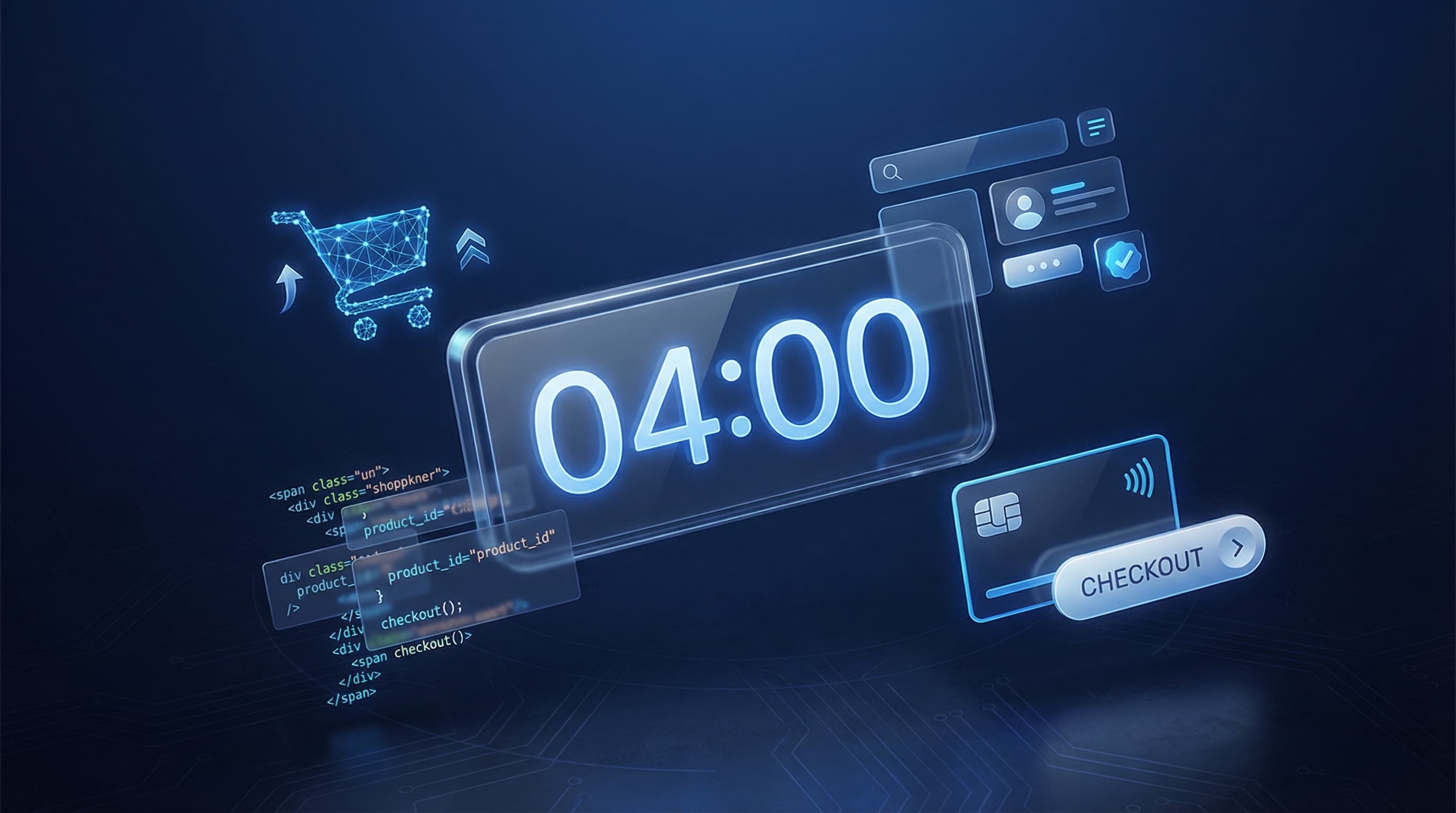
00:00 — Le chrono démarre. Objectif : un e-commerce fonctionnel avec catalogue produits, panier, paiement Stripe et déploiement en production. Pas de templates, pas de raccourcis douteux. Juste une stack moderne et de l'efficacité.
Ce n'est pas un tutoriel théorique. C'est un journal de bord en temps réel d'un challenge que je me suis lancé pour prouver qu'avec les bons outils, créer un MVP e-commerce n'est plus une affaire de semaines.
La Stack Choisie (et Pourquoi)
Avant de lancer le chrono, voici les technologies sélectionnées :
- Next.js 15 : App Router, Server Components, Server Actions
- TypeScript : Parce qu'on n'est pas des sauvages
- Tailwind CSS : Styling rapide sans quitter le JSX
- Stripe : Paiement sécurisé, intégration moderne
- Vercel : Déploiement en un clic
- Zustand : État global léger pour le panier
Pourquoi cette stack ? Elle maximise la vélocité tout en restant production-ready. Pas de configuration webpack interminable, pas de boilerplate inutile.
Heure 1 : Fondations et Architecture (00:00 - 01:00)
00:00 - Initialisation du Projet
# Création du projet Next.js
npx create-next-app@latest speedrun-shop --typescript --tailwind --app --src-dir

cd speedrun-shop

# Dépendances essentielles
pnpm add stripe @stripe/stripe-js zustand
pnpm add -D @types/node
Temps écoulé : 3 minutes.
00:05 - Structure des Dossiers
src/
├── app/
│   ├── (shop)/
│   │   ├── page.tsx           # Catalogue
│   │   ├── product/[id]/
│   │   │   └── page.tsx       # Fiche produit
│   │   └── cart/
│   │       └── page.tsx       # Panier
│   ├── api/
│   │   └── checkout/
│   │       └── route.ts       # API Stripe
│   ├── checkout/
│   │   ├── success/page.tsx
│   │   └── cancel/page.tsx
│   └── layout.tsx
├── components/
│   ├── ProductCard.tsx
│   ├── CartButton.tsx
│   ├── CartDrawer.tsx
│   └── Header.tsx
├── lib/
│   ├── stripe.ts
│   └── store.ts               # Zustand store
└── data/
    └── products.ts            # Données mock
00:15 - Données Produits (Mock)
Pour le speed-run, j'utilise des données statiques. En production réelle, ce serait une base de données ou un CMS.
// src/data/products.ts
export interface Product {
  id: string;
  name: string;
  description: string;
  price: number; // en centimes
  image: string;
  category: string;
}

export const products: Product[] = [
  {
    id: "1",
    name: "Casque Audio Premium",
    description: "Son cristallin, réduction de bruit active, 30h d'autonomie.",
    price: 24900, // 249€
    image: "/products/headphones.jpg",
    category: "audio"
  },
  {
    id: "2",
    name: "Clavier Mécanique RGB",
    description: "Switches Cherry MX, rétroéclairage personnalisable.",
    price: 14900,
    image: "/products/keyboard.jpg",
    category: "peripheriques"
  },
  {
    id: "3",
    name: "Souris Gaming Pro",
    description: "Capteur 25K DPI, 8 boutons programmables, sans fil.",
    price: 7900,
    image: "/products/mouse.jpg",
    category: "peripheriques"
  },
  {
    id: "4",
    name: "Webcam 4K",
    description: "Autofocus, correction d'éclairage IA, micro intégré.",
    price: 12900,
    image: "/products/webcam.jpg",
    category: "video"
  },
  {
    id: "5",
    name: "Hub USB-C 7-en-1",
    description: "HDMI 4K, SD/microSD, USB 3.0, Power Delivery 100W.",
    price: 5900,
    image: "/products/hub.jpg",
    category: "accessoires"
  },
  {
    id: "6",
    name: "Support Laptop Ergonomique",
    description: "Aluminium premium, réglable en hauteur, ventilation optimale.",
    price: 4900,
    image: "/products/stand.jpg",
    category: "accessoires"
  }
];

export function getProduct(id: string): Product | undefined {
  return products.find(p => p.id === id);
}

export function formatPrice(cents: number): string {
  return new Intl.NumberFormat('fr-FR', {
    style: 'currency',
    currency: 'EUR'
  }).format(cents / 100);
}
00:25 - Store Zustand pour le Panier
// src/lib/store.ts
import { create } from 'zustand';
import { persist } from 'zustand/middleware';
import { Product } from '@/data/products';

interface CartItem {
  product: Product;
  quantity: number;
}

interface CartStore {
  items: CartItem[];
  addItem: (product: Product) => void;
  removeItem: (productId: string) => void;
  updateQuantity: (productId: string, quantity: number) => void;
  clearCart: () => void;
  getTotalItems: () => number;
  getTotalPrice: () => number;
}

export const useCartStore = create<CartStore>()(
  persist(
    (set, get) => ({
      items: [],

      addItem: (product) => set((state) => {
        const existingItem = state.items.find(
          item => item.product.id === product.id
        );

        if (existingItem) {
          return {
            items: state.items.map(item =>
              item.product.id === product.id
                ? { ...item, quantity: item.quantity + 1 }
                : item
            )
          };
        }

        return { items: [...state.items, { product, quantity: 1 }] };
      }),

      removeItem: (productId) => set((state) => ({
        items: state.items.filter(item => item.product.id !== productId)
      })),

      updateQuantity: (productId, quantity) => set((state) => ({
        items: quantity > 0
          ? state.items.map(item =>
              item.product.id === productId
                ? { ...item, quantity }
                : item
            )
          : state.items.filter(item => item.product.id !== productId)
      })),

      clearCart: () => set({ items: [] }),

      getTotalItems: () => {
        return get().items.reduce((total, item) => total + item.quantity, 0);
      },

      getTotalPrice: () => {
        return get().items.reduce(
          (total, item) => total + (item.product.price * item.quantity),
          0
        );
      }
    }),
    { name: 'cart-storage' }
  )
);
Fin de l'heure 1 : Architecture en place, données prêtes, state management configuré.
Heure 2 : Interface Utilisateur (01:00 - 02:00)
01:00 - Layout Principal
// src/app/layout.tsx
import type { Metadata } from 'next';
import { Inter } from 'next/font/google';
import './globals.css';
import { Header } from '@/components/Header';
import { CartDrawer } from '@/components/CartDrawer';

const inter = Inter({ subsets: ['latin'] });

export const metadata: Metadata = {
  title: 'SpeedRun Shop | Tech & Accessoires',
  description: 'Boutique en ligne de matériel tech premium',
};

export default function RootLayout({
  children,
}: {
  children: React.ReactNode;
}) {
  return (
    <html lang="fr">
      <body className={inter.className}>
        <Header />
        <main className="min-h-screen bg-gray-50 pt-16">
          {children}
        </main>
        <CartDrawer />
      </body>
    </html>
  );
}
01:10 - Composant ProductCard
// src/components/ProductCard.tsx
'use client';

import Image from 'next/image';
import Link from 'next/link';
import { Product, formatPrice } from '@/data/products';
import { useCartStore } from '@/lib/store';
import { ShoppingCart, Plus } from 'lucide-react';

interface ProductCardProps {
  product: Product;
}

export function ProductCard({ product }: ProductCardProps) {
  const addItem = useCartStore((state) => state.addItem);

  const handleAddToCart = (e: React.MouseEvent) => {
    e.preventDefault();
    addItem(product);
  };

  return (
    <Link href={`/product/${product.id}`} className="group">
      <div className="bg-white rounded-2xl shadow-sm overflow-hidden transition-all duration-300 hover:shadow-xl hover:-translate-y-1">
        <div className="aspect-square relative bg-gray-100">
          <Image
            src={product.image}
            alt={product.name}
            fill
            className="object-cover group-hover:scale-105 transition-transform duration-300"
          />
          <button
            onClick={handleAddToCart}
            className="absolute bottom-4 right-4 bg-black text-white p-3 rounded-full opacity-0 group-hover:opacity-100 transition-opacity duration-300 hover:bg-gray-800"
            aria-label="Ajouter au panier"
          >
            <Plus className="w-5 h-5" />
          </button>
        </div>

        <div className="p-5">
          <p className="text-xs text-gray-500 uppercase tracking-wide mb-1">
            {product.category}
          </p>
          <h3 className="font-semibold text-gray-900 mb-2 group-hover:text-blue-600 transition-colors">
            {product.name}
          </h3>
          <p className="text-sm text-gray-600 line-clamp-2 mb-3">
            {product.description}
          </p>
          <p className="text-lg font-bold text-gray-900">
            {formatPrice(product.price)}
          </p>
        </div>
      </div>
    </Link>
  );
}
01:25 - Page Catalogue
// src/app/(shop)/page.tsx
import { products } from '@/data/products';
import { ProductCard } from '@/components/ProductCard';

export default function CataloguePage() {
  return (
    <div className="max-w-7xl mx-auto px-4 sm:px-6 lg:px-8 py-12">
      <div className="text-center mb-12">
        <h1 className="text-4xl font-bold text-gray-900 mb-4">
          Tech & Accessoires Premium
        </h1>
        <p className="text-lg text-gray-600 max-w-2xl mx-auto">
          Découvrez notre sélection de matériel haut de gamme pour booster votre productivité.
        </p>
      </div>

      <div className="grid grid-cols-1 sm:grid-cols-2 lg:grid-cols-3 gap-8">
        {products.map((product) => (
          <ProductCard key={product.id} product={product} />
        ))}
      </div>
    </div>
  );
}
01:35 - Header avec Bouton Panier
// src/components/Header.tsx
'use client';

import Link from 'next/link';
import { ShoppingBag, Menu } from 'lucide-react';
import { useCartStore } from '@/lib/store';
import { useState, useEffect } from 'react';

export function Header() {
  const [mounted, setMounted] = useState(false);
  const totalItems = useCartStore((state) => state.getTotalItems());

  useEffect(() => {
    setMounted(true);
  }, []);

  return (
    <header className="fixed top-0 left-0 right-0 bg-white/80 backdrop-blur-md z-50 border-b border-gray-100">
      <div className="max-w-7xl mx-auto px-4 sm:px-6 lg:px-8">
        <div className="flex items-center justify-between h-16">
          <Link href="/" className="font-bold text-xl text-gray-900">
            SpeedRun<span className="text-blue-600">Shop</span>
          </Link>

          <nav className="hidden md:flex items-center space-x-8">
            <Link href="/" className="text-gray-600 hover:text-gray-900 transition-colors">
              Catalogue
            </Link>
            <Link href="/cart" className="text-gray-600 hover:text-gray-900 transition-colors">
              Panier
            </Link>
          </nav>

          <Link
            href="/cart"
            className="relative p-2 text-gray-600 hover:text-gray-900 transition-colors"
          >
            <ShoppingBag className="w-6 h-6" />
            {mounted && totalItems > 0 && (
              <span className="absolute -top-1 -right-1 bg-blue-600 text-white text-xs font-bold rounded-full w-5 h-5 flex items-center justify-center">
                {totalItems}
              </span>
            )}
          </Link>
        </div>
      </div>
    </header>
  );
}
01:50 - Page Fiche Produit
// src/app/(shop)/product/[id]/page.tsx
import { notFound } from 'next/navigation';
import Image from 'next/image';
import { getProduct, formatPrice, products } from '@/data/products';
import { AddToCartButton } from '@/components/AddToCartButton';

interface ProductPageProps {
  params: Promise<{ id: string }>;
}

export async function generateStaticParams() {
  return products.map((product) => ({
    id: product.id,
  }));
}

export default async function ProductPage({ params }: ProductPageProps) {
  const { id } = await params;
  const product = getProduct(id);

  if (!product) {
    notFound();
  }

  return (
    <div className="max-w-7xl mx-auto px-4 sm:px-6 lg:px-8 py-12">
      <div className="grid grid-cols-1 lg:grid-cols-2 gap-12">
        <div className="aspect-square relative bg-gray-100 rounded-3xl overflow-hidden">
          <Image
            src={product.image}
            alt={product.name}
            fill
            className="object-cover"
            priority
          />
        </div>

        <div className="flex flex-col justify-center">
          <p className="text-sm text-blue-600 uppercase tracking-wide mb-2">
            {product.category}
          </p>
          <h1 className="text-4xl font-bold text-gray-900 mb-4">
            {product.name}
          </h1>
          <p className="text-xl text-gray-600 mb-6">
            {product.description}
          </p>
          <p className="text-3xl font-bold text-gray-900 mb-8">
            {formatPrice(product.price)}
          </p>

          <AddToCartButton product={product} />

          <div className="mt-8 pt-8 border-t border-gray-200">
            <h3 className="font-semibold text-gray-900 mb-4">Inclus :</h3>
            <ul className="space-y-2 text-gray-600">
              <li className="flex items-center">
                <span className="w-2 h-2 bg-green-500 rounded-full mr-3" />
                Livraison gratuite
              </li>
              <li className="flex items-center">
                <span className="w-2 h-2 bg-green-500 rounded-full mr-3" />
                Garantie 2 ans
              </li>
              <li className="flex items-center">
                <span className="w-2 h-2 bg-green-500 rounded-full mr-3" />
                Retour sous 30 jours
              </li>
            </ul>
          </div>
        </div>
      </div>
    </div>
  );
}
Fin de l'heure 2 : Interface complète, navigation fonctionnelle, catalogue et fiches produit prêts.
Heure 3 : Panier et Paiement Stripe (02:00 - 03:00)
02:00 - Page Panier
// src/app/(shop)/cart/page.tsx
'use client';

import Image from 'next/image';
import Link from 'next/link';
import { useCartStore } from '@/lib/store';
import { formatPrice } from '@/data/products';
import { Minus, Plus, Trash2, ArrowRight } from 'lucide-react';
import { useState } from 'react';

export default function CartPage() {
  const { items, updateQuantity, removeItem, getTotalPrice } = useCartStore();
  const [isLoading, setIsLoading] = useState(false);

  const handleCheckout = async () => {
    setIsLoading(true);

    try {
      const response = await fetch('/api/checkout', {
        method: 'POST',
        headers: { 'Content-Type': 'application/json' },
        body: JSON.stringify({
          items: items.map(item => ({
            id: item.product.id,
            quantity: item.quantity
          }))
        })
      });

      const { url } = await response.json();

      if (url) {
        window.location.href = url;
      }
    } catch (error) {
      console.error('Erreur checkout:', error);
    } finally {
      setIsLoading(false);
    }
  };

  if (items.length === 0) {
    return (
      <div className="max-w-3xl mx-auto px-4 py-24 text-center">
        <div className="text-6xl mb-6">🛒</div>
        <h1 className="text-2xl font-bold text-gray-900 mb-4">
          Votre panier est vide
        </h1>
        <p className="text-gray-600 mb-8">
          Découvrez notre catalogue et trouvez ce qu'il vous faut.
        </p>
        <Link
          href="/"
          className="inline-flex items-center bg-blue-600 text-white px-6 py-3 rounded-full font-medium hover:bg-blue-700 transition-colors"
        >
          Voir le catalogue
          <ArrowRight className="ml-2 w-4 h-4" />
        </Link>
      </div>
    );
  }

  return (
    <div className="max-w-3xl mx-auto px-4 sm:px-6 lg:px-8 py-12">
      <h1 className="text-3xl font-bold text-gray-900 mb-8">Votre Panier</h1>

      <div className="space-y-4 mb-8">
        {items.map(({ product, quantity }) => (
          <div
            key={product.id}
            className="flex items-center gap-4 bg-white rounded-xl p-4 shadow-sm"
          >
            <div className="relative w-20 h-20 bg-gray-100 rounded-lg overflow-hidden flex-shrink-0">
              <Image
                src={product.image}
                alt={product.name}
                fill
                className="object-cover"
              />
            </div>

            <div className="flex-1 min-w-0">
              <h3 className="font-medium text-gray-900 truncate">
                {product.name}
              </h3>
              <p className="text-gray-600">
                {formatPrice(product.price)}
              </p>
            </div>

            <div className="flex items-center gap-2">
              <button
                onClick={() => updateQuantity(product.id, quantity - 1)}
                className="p-1 text-gray-500 hover:text-gray-700"
              >
                <Minus className="w-4 h-4" />
              </button>
              <span className="w-8 text-center font-medium">{quantity}</span>
              <button
                onClick={() => updateQuantity(product.id, quantity + 1)}
                className="p-1 text-gray-500 hover:text-gray-700"
              >
                <Plus className="w-4 h-4" />
              </button>
            </div>

            <p className="font-semibold text-gray-900 w-24 text-right">
              {formatPrice(product.price * quantity)}
            </p>

            <button
              onClick={() => removeItem(product.id)}
              className="p-2 text-red-500 hover:text-red-700 hover:bg-red-50 rounded-lg transition-colors"
            >
              <Trash2 className="w-5 h-5" />
            </button>
          </div>
        ))}
      </div>

      <div className="bg-white rounded-xl p-6 shadow-sm">
        <div className="flex justify-between items-center mb-6">
          <span className="text-lg text-gray-600">Total</span>
          <span className="text-2xl font-bold text-gray-900">
            {formatPrice(getTotalPrice())}
          </span>
        </div>

        <button
          onClick={handleCheckout}
          disabled={isLoading}
          className="w-full bg-blue-600 text-white py-4 rounded-full font-semibold text-lg hover:bg-blue-700 transition-colors disabled:opacity-50 disabled:cursor-not-allowed flex items-center justify-center"
        >
          {isLoading ? (
            <span className="flex items-center">
              <svg className="animate-spin -ml-1 mr-3 h-5 w-5 text-white" xmlns="http://www.w3.org/2000/svg" fill="none" viewBox="0 0 24 24">
                <circle className="opacity-25" cx="12" cy="12" r="10" stroke="currentColor" strokeWidth="4"></circle>
                <path className="opacity-75" fill="currentColor" d="M4 12a8 8 0 018-8V0C5.373 0 0 5.373 0 12h4zm2 5.291A7.962 7.962 0 014 12H0c0 3.042 1.135 5.824 3 7.938l3-2.647z"></path>
              </svg>
              Chargement...
            </span>
          ) : (
            <>
              Payer maintenant
              <ArrowRight className="ml-2 w-5 h-5" />
            </>
          )}
        </button>

        <p className="text-center text-sm text-gray-500 mt-4">
          Paiement sécurisé par Stripe
        </p>
      </div>
    </div>
  );
}
02:20 - Configuration Stripe
// src/lib/stripe.ts
import Stripe from 'stripe';

if (!process.env.STRIPE_SECRET_KEY) {
  throw new Error('STRIPE_SECRET_KEY is not set');
}

export const stripe = new Stripe(process.env.STRIPE_SECRET_KEY, {
  apiVersion: '2024-11-20.acacia'
});
02:30 - API Route Checkout
// src/app/api/checkout/route.ts
import { NextRequest, NextResponse } from 'next/server';
import { stripe } from '@/lib/stripe';
import { getProduct } from '@/data/products';

export async function POST(request: NextRequest) {
  try {
    const { items } = await request.json();

    const lineItems = items.map((item: { id: string; quantity: number }) => {
      const product = getProduct(item.id);

      if (!product) {
        throw new Error(`Produit non trouvé: ${item.id}`);
      }

      return {
        price_data: {
          currency: 'eur',
          product_data: {
            name: product.name,
            description: product.description,
            images: [`${process.env.NEXT_PUBLIC_BASE_URL}${product.image}`],
          },
          unit_amount: product.price,
        },
        quantity: item.quantity,
      };
    });

    const session = await stripe.checkout.sessions.create({
      payment_method_types: ['card'],
      line_items: lineItems,
      mode: 'payment',
      success_url: `${process.env.NEXT_PUBLIC_BASE_URL}/checkout/success?session_id={CHECKOUT_SESSION_ID}`,
      cancel_url: `${process.env.NEXT_PUBLIC_BASE_URL}/checkout/cancel`,
      shipping_address_collection: {
        allowed_countries: ['FR', 'BE', 'CH', 'LU', 'CA'],
      },
    });

    return NextResponse.json({ url: session.url });
  } catch (error) {
    console.error('Erreur Stripe:', error);
    return NextResponse.json(
      { error: 'Erreur lors de la création du paiement' },
      { status: 500 }
    );
  }
}
02:45 - Pages de Confirmation
// src/app/checkout/success/page.tsx
import Link from 'next/link';
import { CheckCircle } from 'lucide-react';

export default function SuccessPage() {
  return (
    <div className="min-h-[80vh] flex items-center justify-center px-4">
      <div className="text-center">
        <div className="inline-flex items-center justify-center w-20 h-20 bg-green-100 rounded-full mb-6">
          <CheckCircle className="w-10 h-10 text-green-600" />
        </div>
        <h1 className="text-3xl font-bold text-gray-900 mb-4">
          Commande confirmée !
        </h1>
        <p className="text-gray-600 mb-8 max-w-md">
          Merci pour votre achat. Vous recevrez un email de confirmation
          avec les détails de votre commande.
        </p>
        <Link
          href="/"
          className="inline-flex items-center bg-blue-600 text-white px-6 py-3 rounded-full font-medium hover:bg-blue-700 transition-colors"
        >
          Continuer mes achats
        </Link>
      </div>
    </div>
  );
}
// src/app/checkout/cancel/page.tsx
import Link from 'next/link';
import { XCircle } from 'lucide-react';

export default function CancelPage() {
  return (
    <div className="min-h-[80vh] flex items-center justify-center px-4">
      <div className="text-center">
        <div className="inline-flex items-center justify-center w-20 h-20 bg-red-100 rounded-full mb-6">
          <XCircle className="w-10 h-10 text-red-600" />
        </div>
        <h1 className="text-3xl font-bold text-gray-900 mb-4">
          Paiement annulé
        </h1>
        <p className="text-gray-600 mb-8 max-w-md">
          Votre paiement a été annulé. Votre panier a été conservé,
          vous pouvez réessayer quand vous le souhaitez.
        </p>
        <Link
          href="/cart"
          className="inline-flex items-center bg-blue-600 text-white px-6 py-3 rounded-full font-medium hover:bg-blue-700 transition-colors"
        >
          Retour au panier
        </Link>
      </div>
    </div>
  );
}
Fin de l'heure 3 : Panier fonctionnel, intégration Stripe complète, pages de confirmation prêtes.
Heure 4 : Finitions et Déploiement (03:00 - 04:00)
03:00 - Variables d'Environnement
# .env.local
STRIPE_SECRET_KEY=sk_test_...
NEXT_PUBLIC_STRIPE_PUBLISHABLE_KEY=pk_test_...
NEXT_PUBLIC_BASE_URL=http://localhost:3000
03:10 - Tests Locaux
# Lancement en développement
pnpm dev

# Vérifications :
# ✅ Catalogue s'affiche correctement
# ✅ Ajout au panier fonctionne
# ✅ Quantités modifiables
# ✅ Suppression d'articles
# ✅ Redirection vers Stripe Checkout
# ✅ Pages success/cancel accessibles
03:25 - Optimisations de Production
// src/app/layout.tsx - Ajout des métadonnées
export const metadata: Metadata = {
  title: {
    default: 'SpeedRun Shop | Tech & Accessoires Premium',
    template: '%s | SpeedRun Shop'
  },
  description: 'Boutique en ligne de matériel tech premium. Livraison gratuite, garantie 2 ans.',
  openGraph: {
    type: 'website',
    locale: 'fr_FR',
    url: 'https://speedrun-shop.vercel.app',
    siteName: 'SpeedRun Shop',
  },
};
03:35 - Déploiement Vercel
# Connexion à Vercel
npx vercel login

# Déploiement
npx vercel --prod

# Configuration des variables d'environnement
# Dans le dashboard Vercel :
# - STRIPE_SECRET_KEY
# - NEXT_PUBLIC_STRIPE_PUBLISHABLE_KEY
# - NEXT_PUBLIC_BASE_URL (URL Vercel)
03:50 - Configuration Stripe Production
# Dans le dashboard Stripe :
# 1. Activer le mode live
# 2. Remplacer les clés test par les clés production
# 3. Configurer le webhook pour les événements de paiement
03:58 - Vérification Finale
# Checklist finale :
# ✅ Site accessible publiquement
# ✅ HTTPS activé automatiquement
# ✅ Paiement test réussi
# ✅ Performances Lighthouse > 90
# ✅ Mobile responsive
04:00 - TERMINÉ.
Récapitulatif : Ce Qu'on a Construit
En 4 heures exactement, nous avons créé :
| Fonctionnalité | Statut | |----------------|--------| | Catalogue produits responsive | ✅ | | Fiches produits détaillées | ✅ | | Panier persistant (localStorage) | ✅ | | Modification des quantités | ✅ | | Intégration Stripe Checkout | ✅ | | Pages de confirmation | ✅ | | Déploiement production | ✅ | | SSL/HTTPS | ✅ |
Ce Qui Manque (Pour Une V2)
Soyons honnêtes, ce speed-run a ses limites :
- Base de données : Actuellement données statiques
- Authentification : Pas de comptes utilisateurs
- Gestion des stocks : Pas de suivi d'inventaire
- Webhooks Stripe : Pour confirmer les paiements côté serveur
- Emails transactionnels : Confirmations de commande
- Dashboard admin : Gestion des produits et commandes
Mais pour un MVP permettant de valider une idée ou démontrer un concept, c'est largement suffisant.
Leçons Apprises
1. La Stack Fait la Différence
Next.js 15 avec App Router + Server Components réduit drastiquement le boilerplate. Ce qui prenait des heures en configuration manuelle se fait maintenant en minutes.
2. Stripe Checkout > Stripe Elements
Pour un MVP, Stripe Checkout hébergé est imbattable. Zéro UI à coder pour le formulaire de paiement, conformité PCI gérée, et expérience utilisateur professionnelle.
3. Zustand > Redux pour les Petits Projets
Redux est overkill pour un panier. Zustand fait le job en 30 lignes de code avec persistance incluse.
4. Vercel = Déploiement Sans Friction
Git push et c'est en ligne. Pas de configuration serveur, pas de CI/CD à setup. Pour un speed-run, c'est imbattable.
Conclusion
4 heures. Un e-commerce fonctionnel. Paiements activés. En production.
Ce n'est pas de la magie, c'est l'évolution des outils de développement web. Ce qui nécessitait une équipe et plusieurs semaines il y a 5 ans se fait maintenant en solo en une après-midi.
Est-ce que ce site est prêt pour gérer 10 000 commandes par jour ? Non. Mais est-ce qu'il peut vous permettre de valider une idée, tester un marché, ou impressionner un client avec un prototype fonctionnel ? Absolument.
Le message est clair : arrêtez de planifier pendant des mois. Construisez, testez, itérez.
Vous avez un projet e-commerce à lancer rapidement ? Contactez Raicode pour un accompagnement sur mesure.
Prêt à lancer votre projet ?
Transformez vos idées en réalité avec un développeur passionné par la performance et le SEO. Discutons de votre projet dès aujourd'hui.